Win back the sales that almost happened
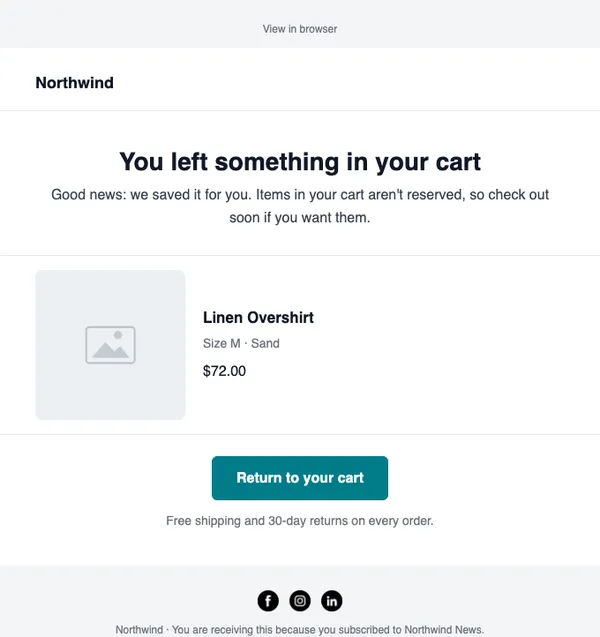
When a shopper leaves items in their cart, SendCoop reminds them with the product, the price and a button straight back to checkout.
- Works with Shopify and WooCommerce
- Shows the actual products
- Track recovered revenue
Example data
Abandoned cart in three steps
Connect your store
Shopify or WooCommerce, in Integrations → Stores.
Turn on cart tracking
Choose how long to wait before the first reminder.
Use the ready-made layout
Start with E-07 “Left something behind”, then add a second reminder or a code.
What you get
Real products
Each reminder shows the items the shopper left, with images and prices.
Well-timed reminders
Wait an hour, a day, or whatever works for your store.
Stops when they buy
Shoppers who complete their order leave the flow automatically.
See what it earned
Recovered orders are counted as revenue from the flow.
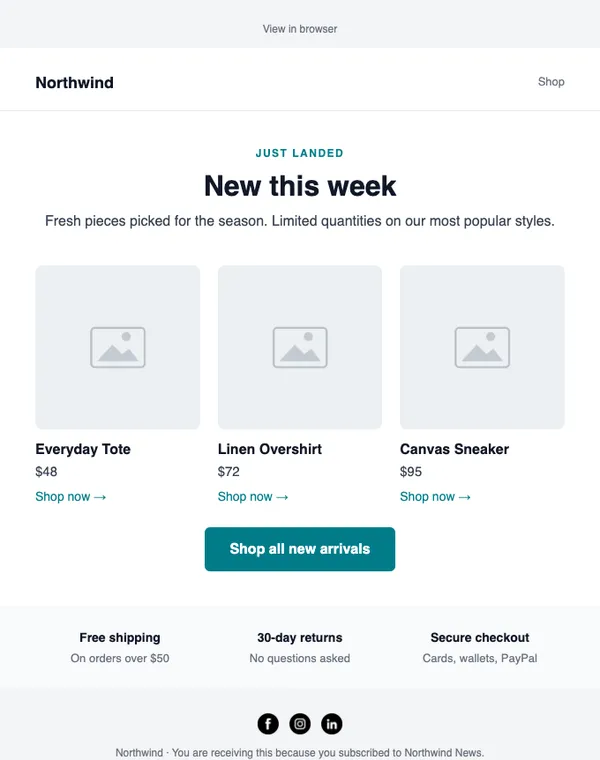
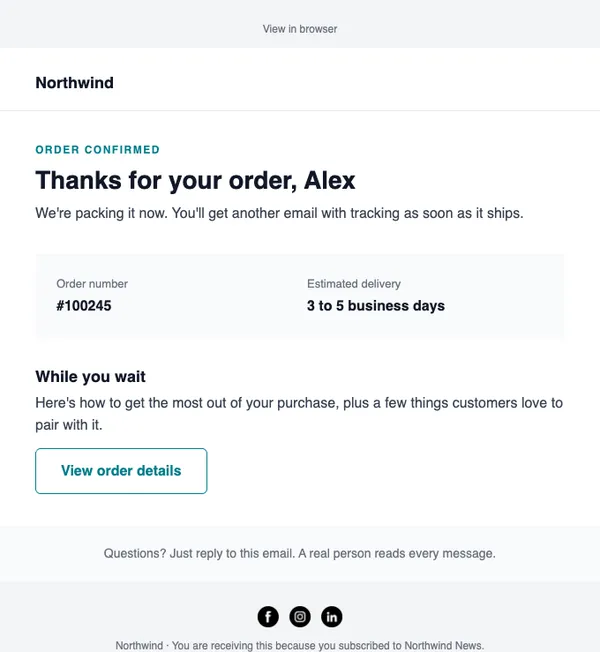
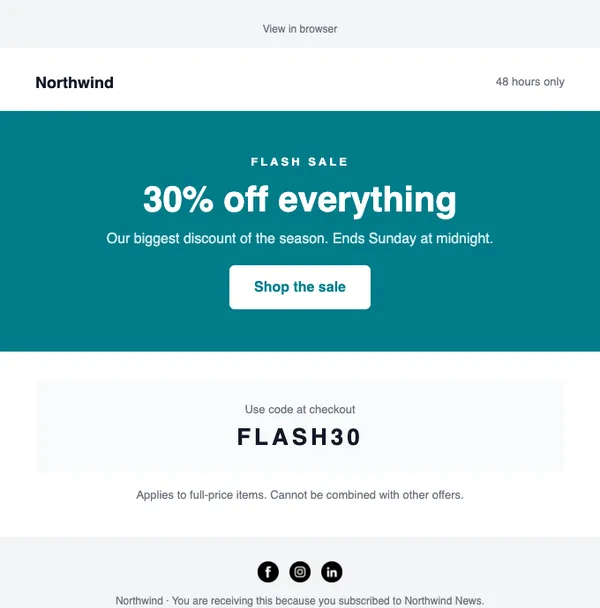
Start with these layouts
Do I need a developer?
No. Connect your store with an API key and turn on cart tracking.
Can I add a discount in the second reminder?
Yes. Add a condition and send a code only to people who still have not bought.
Send your first campaign today
Free plan, no card needed. Upgrade when your list grows.