F-01 · Sign-up forms
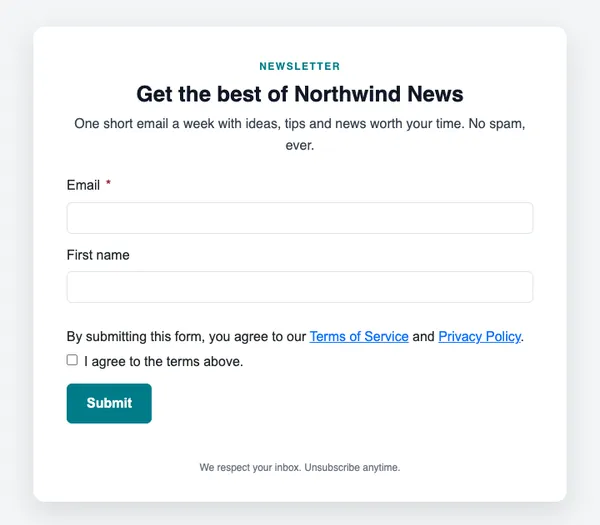
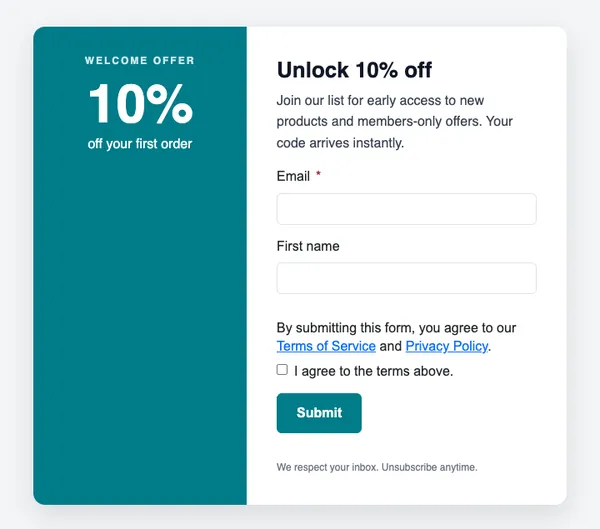
Newsletter sign-up
An embedded form for your website, footer or blog.
- Good for blog subscribers
- Good for footer sign-up
- Good for landing pages
Free on every planYour brand appliedMobile-ready
How to use it
From template to sent in three steps
STEP 1
Open the forms catalog
In SendCoop, go to Forms → Forms & popups catalog and pick F-01.
STEP 2
Connect a list
Choose the list new subscribers join, the fields to ask for and a tag to add.
STEP 3
Embed it
Copy one snippet into your website, blog or landing page.
Tips
Getting the most from a sign-up form
Where to use it: Embedded on your site: in the footer, on blog posts, or on a landing page.
Read about sign-up formsThree tips
- Ask only for what you need. Email alone converts best.
- Say what people will get and how often.
- Use a separate list per offer so you know where subscribers came from.
Keep browsing
All templatesMore forms and popups
Use this template free
Every design is included on every plan, including the free one.