Email subject lines and preheaders that get opened: rules and before/after examples
How long a subject line should be, what to put in the preheader, the habits that trigger spam filters, and fifteen before-and-after rewrites you can copy.
In the inbox, your email is three lines of text: the sender name, the subject line and the preheader. That is all people see before they decide to open, ignore or delete. You can spend hours on the design, but those three lines decide whether anyone looks at it.
This guide covers what each line is for, the rules that hold up, and before-and-after rewrites you can adapt.
The three lines in the inbox
- Sender name: who it’s from. People open emails from senders they recognise, so keep it consistent. “Maya at Northfield” or just “Northfield”, not a different name each week.
- Subject line: what the email is about, and why it’s worth opening now.
- Preheader: the short line shown after the subject. If you leave it empty, the inbox shows the first text in your email instead, which is often “View in browser” or an image’s alt text.
Treat the subject and preheader as one sentence split in two. The subject makes the point; the preheader adds the detail that tips someone into opening.
How long should a subject line be?
There’s no perfect number, but there is a practical limit. On a phone, most inboxes show roughly 30 to 45 characters of the subject before cutting it off. Desktop shows more, but most email is read on phones.
- Put the important words first. If only the first 35 characters show, make them count.
- Aim for about 3 to 8 words. Short enough to read at a glance, long enough to say something.
- Use the preheader for the rest. It usually shows 40 to 90 characters, depending on the app and the length of the subject.
Rules that hold up
- Be specific. “25% off all linen until Sunday” beats “Our biggest sale”. Specific numbers, products and dates tell people what they get.
- Say why now. A deadline, a restock, a new arrival or a season gives a reason to open today instead of “later”, which usually means never.
- Write like a person. Read it out loud. If you wouldn’t say it to a customer, rewrite it.
- Match the email. A subject that promises something the email doesn’t deliver gets an open once, then an unsubscribe.
- Personalise only when it adds something. A first name helps sometimes; a reference to what they bought or browsed helps more.
Habits that hurt delivery
Some patterns look like spam to filters and to people. Avoid:
- ALL CAPS words or whole subjects.
- Repeated punctuation: “!!!” or “???”.
- Fake replies or forwards: starting with “RE:” or “FW:” when it isn’t one. It feels like a trick, because it is.
- Spammy phrases: “100% free”, “act now”, “guaranteed”, “risk-free”.
- Lots of emojis. One can help a subject stand out; three looks like a flyer.
- No preheader, leaving the inbox to show whatever comes first.
Before and after: fifteen rewrites
Sales and offers
- Before: HUGE SALE!!! Don’t miss out After: 25% off all linen, ends Sunday · Preheader: Sheets, throws and the robe everyone asks about.
- Before: Our Black Friday deals are here After: Black Friday: 30% off sitewide, 4 days only · Preheader: Free shipping over $50 too. Ends Monday at midnight.
- Before: Last chance After: Last day for 20% off your first order · Preheader: Your code WELCOME20 expires tonight.
Newsletters and content
- Before: October newsletter After: 3 dinners under 30 minutes · Preheader: Plus the one-pan pasta 2,000 of you saved last month.
- Before: New blog post After: Why your tomatoes split (and how to stop it) · Preheader: A 2-minute fix before the next heat wave.
- Before: Weekly update #47 After: The pricing mistake most freelancers make · Preheader: And a template to fix it, free this week.
Product launches and restocks
- Before: Exciting news! After: The Trail 2 is here: lighter, same price · Preheader: 200 grams lighter than the original. Shipping now.
- Before: It’s back After: Back in stock: the linen shirt in sage · Preheader: It sold out in 9 days last time. Sizes S to XL.
- Before: Introducing our new collection After: Meet the autumn collection: 12 pieces, 3 colours · Preheader: Designed to mix with what you already own.
Automations
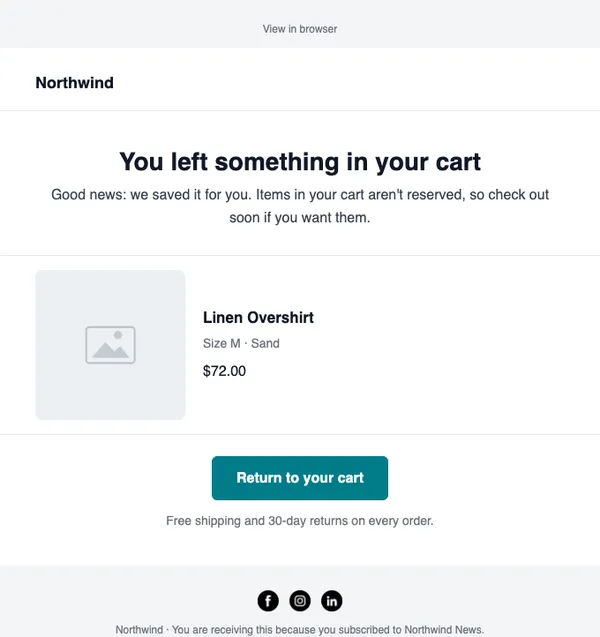
- Before: You forgot something After: Still thinking about the Oak desk lamp? · Preheader: We saved your cart. Free returns for 30 days.
- Before: Welcome to our newsletter After: Welcome! Here’s your 10% off · Preheader: Use code HELLO10 on anything in the shop.
- Before: We miss you After: Should we stop emailing you? · Preheader: One click keeps you on the list. No hard feelings either way.
Events and B2B
- Before: Webinar invitation After: Live Thursday: cut your email bill in half · Preheader: 30 minutes, real examples, recording for everyone who signs up.
- Before: Important update regarding your account After: Your invoice for October is ready · Preheader: $45.00, paid by card ending 4242. Nothing to do.
- Before: Quick question After: Can I send you our 2027 price list? · Preheader: Prices change on 1 January. Lock in this year’s rates.
Notice the pattern: every “after” says what is inside, and most give a reason to open now.
Test instead of guessing
Your audience is the only real judge. An A/B test sends two subject lines to a small part of your list, waits, then sends the winner to everyone else.
- Test one thing at a time: the subject line only, with the same email behind it.
- Use a big enough test group. On a list under about 1,000 contacts, results swing a lot; test on your biggest sends and treat small differences as a tie.
- Judge by clicks where you can. Some email apps open images automatically, which makes open rates look higher than they are.
- Write down what wins. After five or six tests you’ll see patterns: maybe your readers prefer questions, or numbers, or no discounts in the subject.
Write and check them in SendCoop
- In the campaign wizard, fill in the Email subject and Preheader text. Type
{{in the subject to insert a merge tag such as the first name. - Click the sparkle button next to either field and choose Ideas, Shorter, More compelling or Spam-safe to get suggestions from the AI writer. See Write with AI.
- Run the inbox score. It flags ALL CAPS, repeated punctuation, fake “RE:” or “FW:”, very long or short subjects, emojis and a missing preheader. See Check your inbox score.
- For important sends, create an A/B test campaign and let the winner go out automatically by open or click rate. See Run an A/B test.
A/B testing, the inbox score and the AI writer are on every plan, including Free.
Every feature is on every plan, including Free. No card needed.
Start free