Re-engagement emails: win back inactive subscribers (or let them go)
How to find subscribers who stopped engaging, what to send them, how long to wait, and why removing the ones who don't come back improves your deliverability.
Every list slowly fills with people who no longer read your emails. They changed jobs, lost interest, or only signed up for a discount. Sending to them costs you money and, more importantly, tells Gmail and Outlook that your emails aren’t wanted.
A re-engagement campaign gives these subscribers one last, clear chance. The ones who respond come back to life; the rest you remove.
Why inactive subscribers hurt you
Mailbox providers watch how people interact with your emails. When a large share of your list never opens, never clicks and lets your emails pile up, it signals low interest. Over time more of your emails go to the spam folder, including for the subscribers who do want them.
Old, unused addresses are also a risk: some are eventually turned into spam traps by mailbox providers. Emailing them repeatedly can get your domain flagged.
Who counts as inactive?
There’s no single rule, but a common definition is no opens or clicks in the last 90 to 180 days. Pick a window that fits how often you send:
- Sending weekly: 90 days is a good starting point.
- Sending monthly: use 180 days.
A note on opens: Apple Mail’s privacy protection loads images automatically, so many Apple users look like they opened every email. Clicks are a more reliable sign of real interest. Where you can, use “no clicks” as well as “no opens”.
Build the segment
In SendCoop, create a segment on your list with conditions such as:
- Last opened email more than 90 days ago, and
- Last link click more than 90 days ago, and
- Created date more than 90 days ago (so you don’t catch brand-new subscribers).
The segment updates itself as people open and click, so you can reuse it every month.
What to send
Two or three short emails over about two weeks.
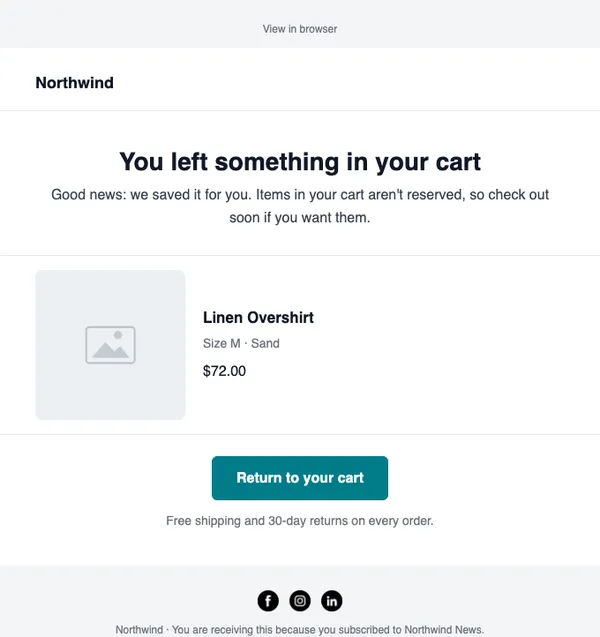
Email 1: “Still want to hear from us?” Be honest and low-pressure. Remind them who you are and what they signed up for, and give one clear button: Yes, keep me subscribed (link to your site or best content). Every click proves they’re still interested.
Email 2: a reason to come back Your best content or best-selling product from the last few months, or a small offer if you’re a store. Keep it short.
Email 3: the goodbye Tell them you’ll stop emailing unless they click to stay. A clear subject line works best: Should we stop emailing you? Many people click this one.
Remove the people who don’t respond
This is the step most senders skip, and it’s the one that protects your deliverability. Anyone in the segment who didn’t open or click any of the re-engagement emails should be unsubscribed or removed from your active list.
It feels like losing subscribers, but they weren’t really subscribers anymore. A smaller list that reads your emails gets better inbox placement than a larger one that doesn’t, and on SendCoop you pay by contact, so it lowers your bill too.
Prevent it next time
- Send what people signed up for. If they joined for recipes, don’t send them discount codes every day.
- Set expectations at sign-up. Say how often you’ll email.
- Use double opt-in for forms that attract mistyped or fake addresses.
- Run the re-engagement campaign regularly, every month or quarter, so inactive contacts never pile up.
Set it up in SendCoop
- Create the inactive segment under Audience → Lists → your list → Segments. See Create a segment.
- Write the two or three emails and send them as campaigns to the segment, a few days apart.
- Afterwards, unsubscribe the contacts who are still in the segment.
- Check your bounce and complaint rates; see Unsubscribes, bounces and the blacklist.
Every feature is on every plan, including Free. No card needed.
Start free